Meta Ads Reporting for Agencies: Many Clients, Clear Roles and One View of Results
How an agency can report on Meta lead campaigns for many clients: partner access in Meta, one workspace per client, team roles and an all-clients overview.
On this page
- How should agency access to client assets be set up in Meta?
- One organisation per client
- Roles: who at the agency and the client sees what
- What is in a single client's report?
- The all-clients overview
- A 20-minute weekly agency routine
- What to tell clients so the report stays honest
- What does it cost an agency?
- Limits worth knowing
An agency running lead campaigns for a dozen businesses has two problems at once: access to each client's Meta assets, and reports that connect ad spend to what happens to leads afterwards. Ads Manager shows what a form submission cost, but it does not know which lead became a customer. This guide covers how to set up access on the Meta side, how to keep clients apart in your tool, and what a weekly results review looks like in practice.
How should agency access to client assets be set up in Meta?
The rule is simple: the client owns the assets, the agency gets access as a partner. The ad account, dataset (formerly the Pixel) and the Page with lead forms stay in the client's business portfolio. When the engagement ends, the client removes access and nothing has to be migrated.
Meta describes the process in Give a partner access to business assets. In short:
- The agency has its own business portfolio and sends the client its ID.
- Someone with full control of the client's portfolio opens Settings → Users → Partners and chooses to give a partner access to assets.
- The client enters the agency's portfolio ID, selects the assets and the access level.
- Both portfolios then show the shared assets in their settings.
Two things that are easy to miss:
- A partner cannot reshare an asset, even with full control. Only the owner can. With partial access, the agency can only give its people the tasks it received.
- Leads are a separate permission. If the client has turned on Leads Access Manager, Page access alone is not enough. Only the business that owns the Page can grant a partner access to leads (Meta Business Help Center).
One organisation per client
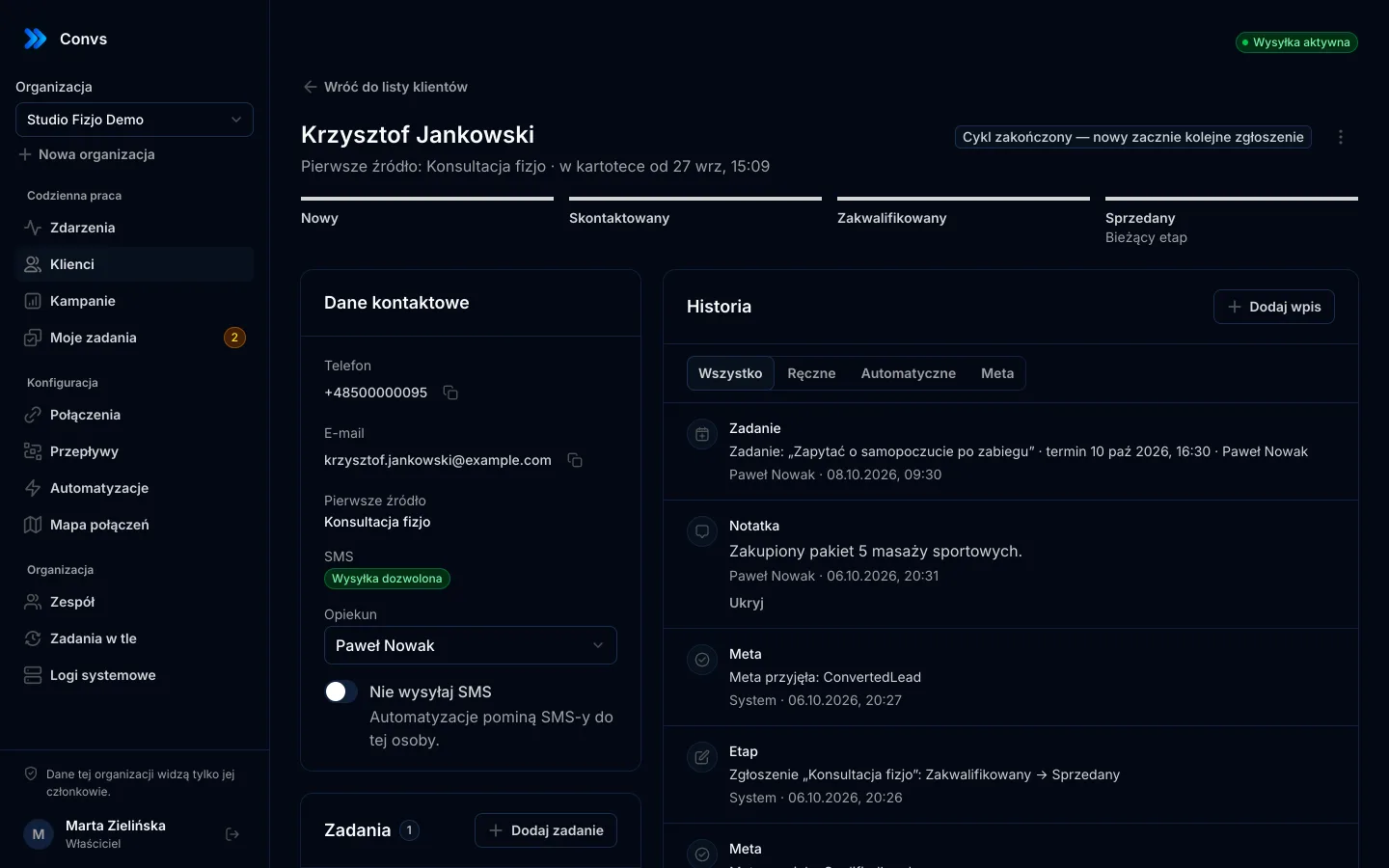
In Convs, each agency client is a separate organisation. A single user account can belong to any number of organisations and switch between them. Every record, from a lead to a Meta connection, belongs to exactly one organisation, and the server checks the user's membership on every request rather than trusting what the request says. Client A's data cannot leak into client B's report through a filter mistake.
Meta connections live inside an organisation too. When adding a source you pick a specific connected Meta account and a specific ad account; there is no "all accounts at once" option. That is deliberate: with a dozen clients it is easy to attach the wrong business's form, so every choice is explicit. Spend is fetched for the ad accounts the organisation already uses in its forms and data destinations, with no extra setup.
Each organisation also has its own background job queue (lead imports, spend, ad set settings). A large import for one client does not block the others: organisations take turns, and every job's state is visible on the Background jobs page.
Roles: who at the agency and the client sees what
| Role | Typical person at the agency or client | What they can do |
|---|---|---|
| Owner | agency owner | everything, including invitations, roles and data retention |
| Admin | campaign specialist | Meta connections, flows, automations, invitations and roles |
| Operator | the client's sales or customer service staff | add and edit people, change stages, tasks, retry failed deliveries |
| Viewer | anyone on the client side who only reviews results | read-only; the full campaign report, masked phone and email in the CRM, no SMS text |
The Viewer role is a good way to let a client check their own campaign results. Campaign names and numbers are not personal data, so they see them in full, while lead contact details stay masked.
An invitation is a one-time link valid for 72 hours and tied to a specific email address. The app does not send email itself, so you pass the link on through your own channel. Admins can change roles and remove access, but cannot change the owner's access or their own.
What is in a single client's report?
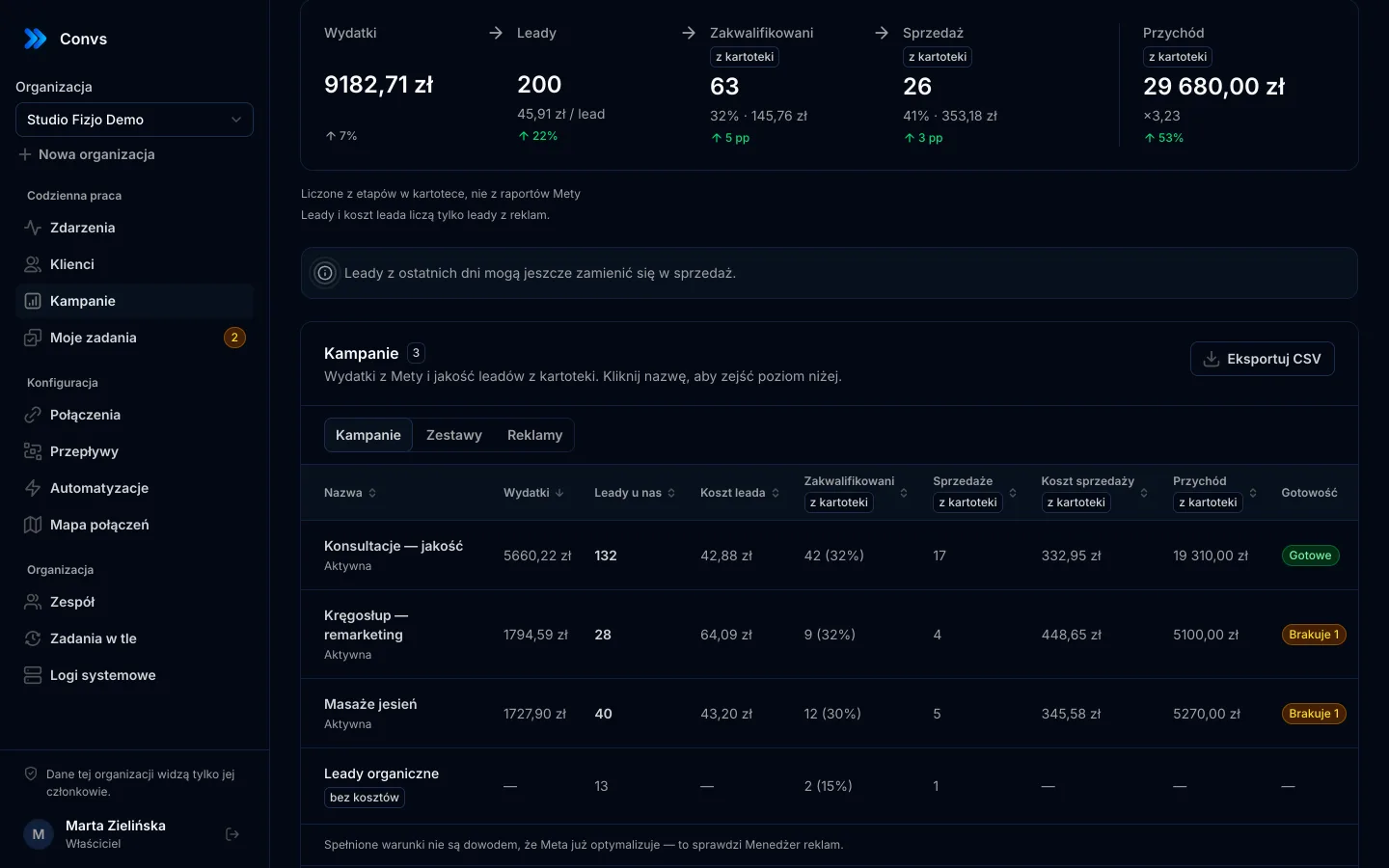
The campaign reporting page joins Meta spend with stages from the CRM. For each campaign, ad set and ad you see:
- spend, leads and cost per lead,
- qualified leads and cost per qualified lead,
- sales, cost per sale and revenue from the CRM,
- tiles with change versus the previous period, drill-down (campaign → ad set → ad) and CSV export.
A few counting rules to understand before you show a client the report:
- Periods are counted by lead date. "Sales for 30 days" means leads from those 30 days that are sold today. For recent periods sales may still come in, and the page says so.
- A sale counts once per person and cycle, even if the person filled in three forms.
- Organic leads get their own row, without costs.
- Currencies are not converted. Revenue-to-spend ratios appear only when currencies match.
- If Meta reports more leads than reached the hub, the row says some leads did not arrive, and cost per lead is correspondingly higher.
Why cost per qualified lead tells you more than cost per form is covered in cost per qualified lead.
The all-clients overview
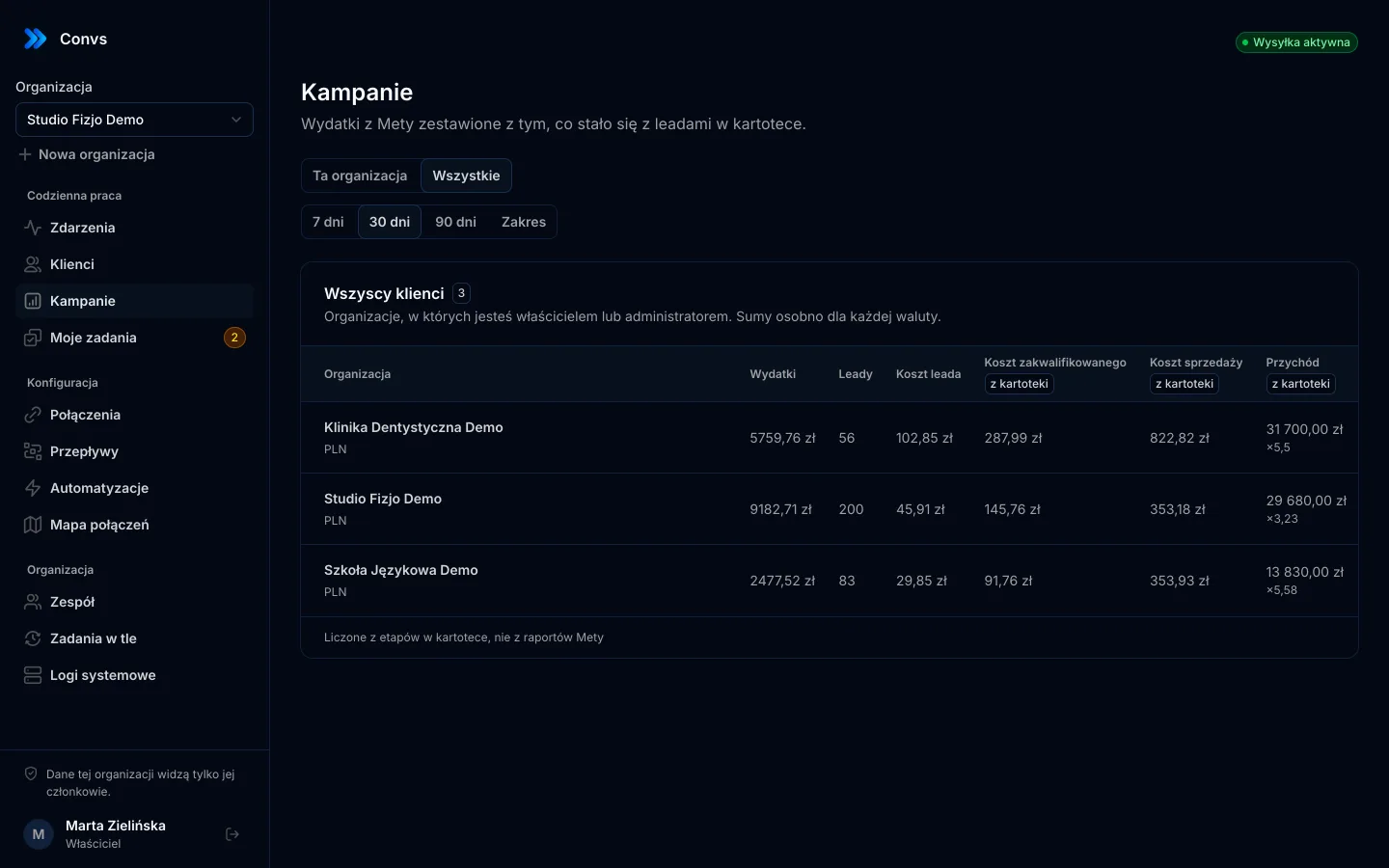
Anyone who is owner or admin in at least two organisations sees an All switch on the campaign page. It shows one row per organisation, with spend, leads and costs for the chosen period, and flags organisations whose data is stale (for example when Meta access has expired). Operators and viewers do not get this view, so a client never sees the agency's other clients.
A 20-minute weekly agency routine
- Open the All view and sort by cost per qualified lead. The clients with the biggest increases go to the top of your list.
- Check stale-data flags. Meta tokens do not refresh themselves; after expiry the data stays, the page shows when it was last updated and links to reconnect.
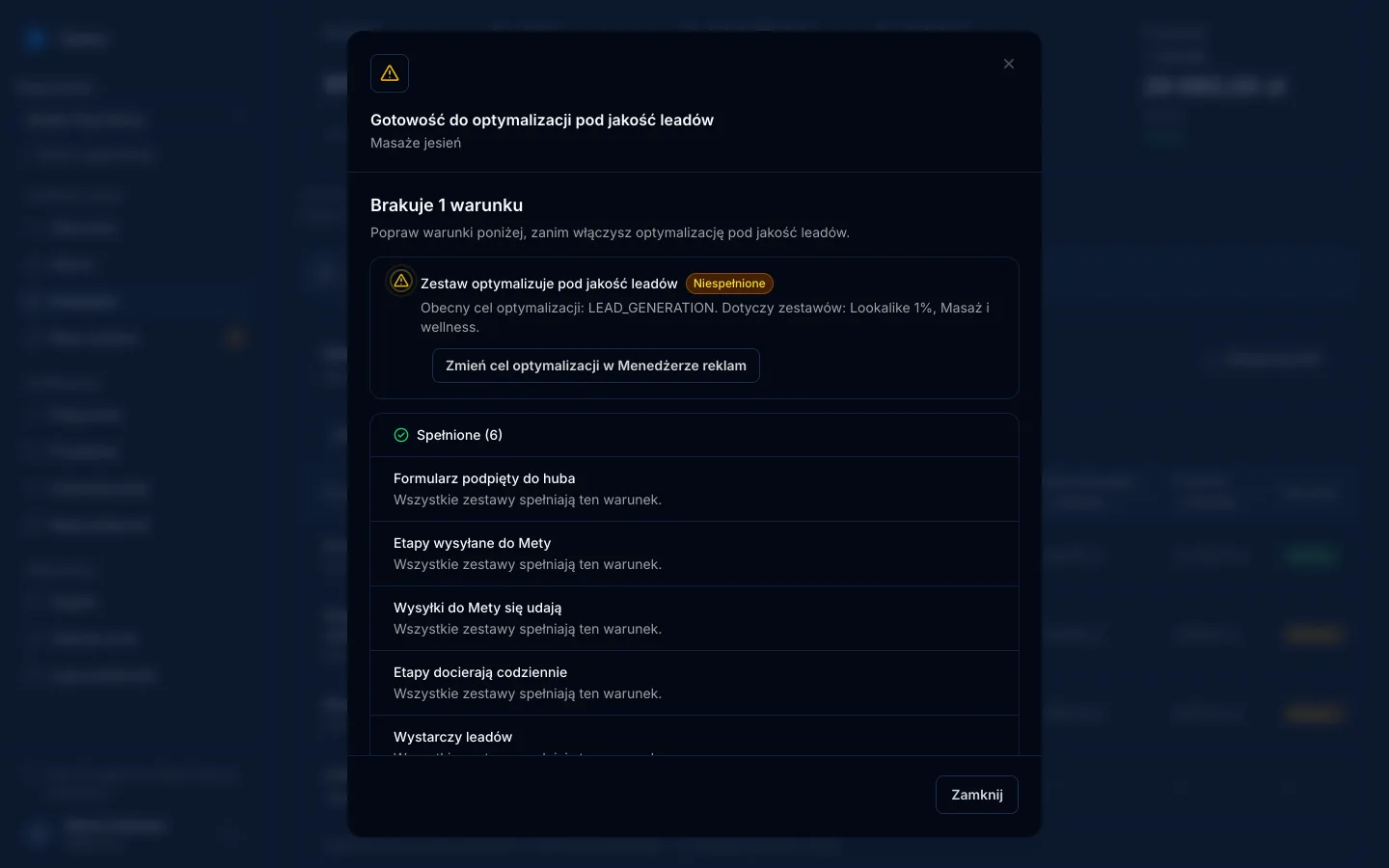
- Look at the Readiness column for clients who want lead quality optimisation. Each unmet condition comes with one action. More in the guide to conversion leads optimisation.
- Review Background jobs for clients with errors: Meta rate limits, expired access, an interrupted import.
- Export CSV for clients who want their report in a spreadsheet.
If a client's results depend on how their sales team moves stages, help them design those stages well: CRM lead stages for Meta.
What to tell clients so the report stays honest
The report combines data from two worlds, so it is easy to over-claim. Three sentences worth repeating:
- The CRM columns come from stages in the CRM, not from Meta's reports. They show which campaigns produced valuable customers, but they are not proof that Meta is optimising on that data.
- Sending events to the Conversions API gives Meta the data it needs to optimise, but does not guarantee a lower cost. Meeting the readiness conditions is not proof of optimisation either; Ads Manager shows that.
- A recent period is incomplete. Sales from last week's leads may arrive next month.
What does it cost an agency?
The Agency plan is $229 a month. Only the total number of leads across all clients counts, not workspaces or seats:
| What it includes | Agency plan |
|---|---|
| Leads and orders per month | 25,000 in a shared pool |
| Organisations (clients), users, Meta ad accounts | unlimited |
| Features, including the all-clients overview | all |
| Support | priority, plus an onboarding call |
Annual billing is 10 times the monthly price (two months free). To start, you can also use the Free plan: every feature up to 100 leads a month, no card. Details on the pricing page and the agencies page.
Limits worth knowing
- Campaigns come from Meta only. Leads from Google Sheets, a shop or a webhook have no campaign attached, and Google Ads is not supported.
- The Meta connection runs on a specific person's token. System user configurations are not supported, so when a specialist leaves the agency or loses partner access, the account has to be reconnected.
- Export is CSV. If a client expects a finished document with your agency's branding, you build it from the export.
- Organisations per plan are capped. With several dozen clients, the Custom plan may be simpler than paying for each extra organisation.
Remember personal data, too: an agency with access to a client's leads processes them on the client's behalf. What that means in practice is covered in GDPR and the Conversions API.
Frequently asked questions
How does a client give an agency access to their ad account in Meta?
Someone with full control of the client's business portfolio opens Settings, goes to Partners, adds a partner using the agency's business portfolio ID and selects the assets (ad account, dataset, Page) and the access level. The agency needs its own business portfolio.
Can an agency reshare a client's assets with another business?
No. According to Meta, even with full control a partner cannot share an asset with another business; only the organisation that owns the asset can. With partial access, the agency can only assign its own people the tasks it was given.
Can an agency's client view results in Convs themselves?
Yes. Invite them to their organisation with the Viewer role. They see the campaign report read-only, phone numbers and emails in the CRM are masked, and they cannot see the agency's other clients.
Who sees the all-clients overview?
The All switch on the campaign page appears only for people who are owner or admin in at least two organisations. It shows one row per organisation and flags stale data.
How much does Convs cost for an agency?
The Agency plan is $229 a month and covers 25,000 leads and orders a month in a pool shared by all clients. No plan limits organisations, users or ad accounts, and every plan has every feature, including the Free plan up to 100 leads a month.