Weak leads from Meta usually mean missing data. Show Meta who buys.
Without CRM data, Meta optimises for the form submission itself, so it finds people who love clicking “Submit”, not people who buy. Convs connects your Facebook and Instagram forms to a simple CRM in a few clicks, checks your whole event setup and tells Meta which leads became customers. It runs 24/7, with no server and no developer.
- Free up to 100 leads a month
- No credit card
- Connected in a few clicks
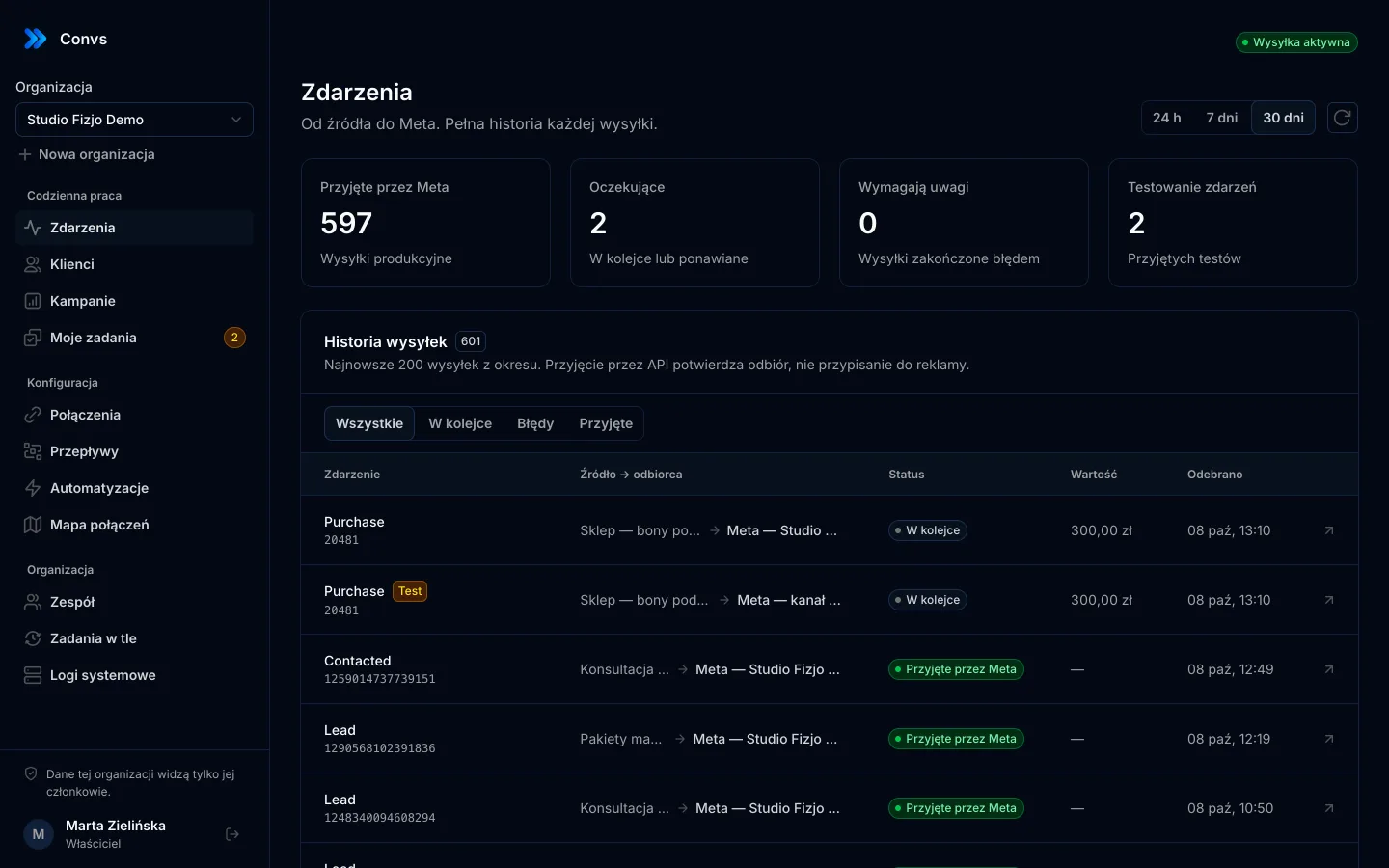
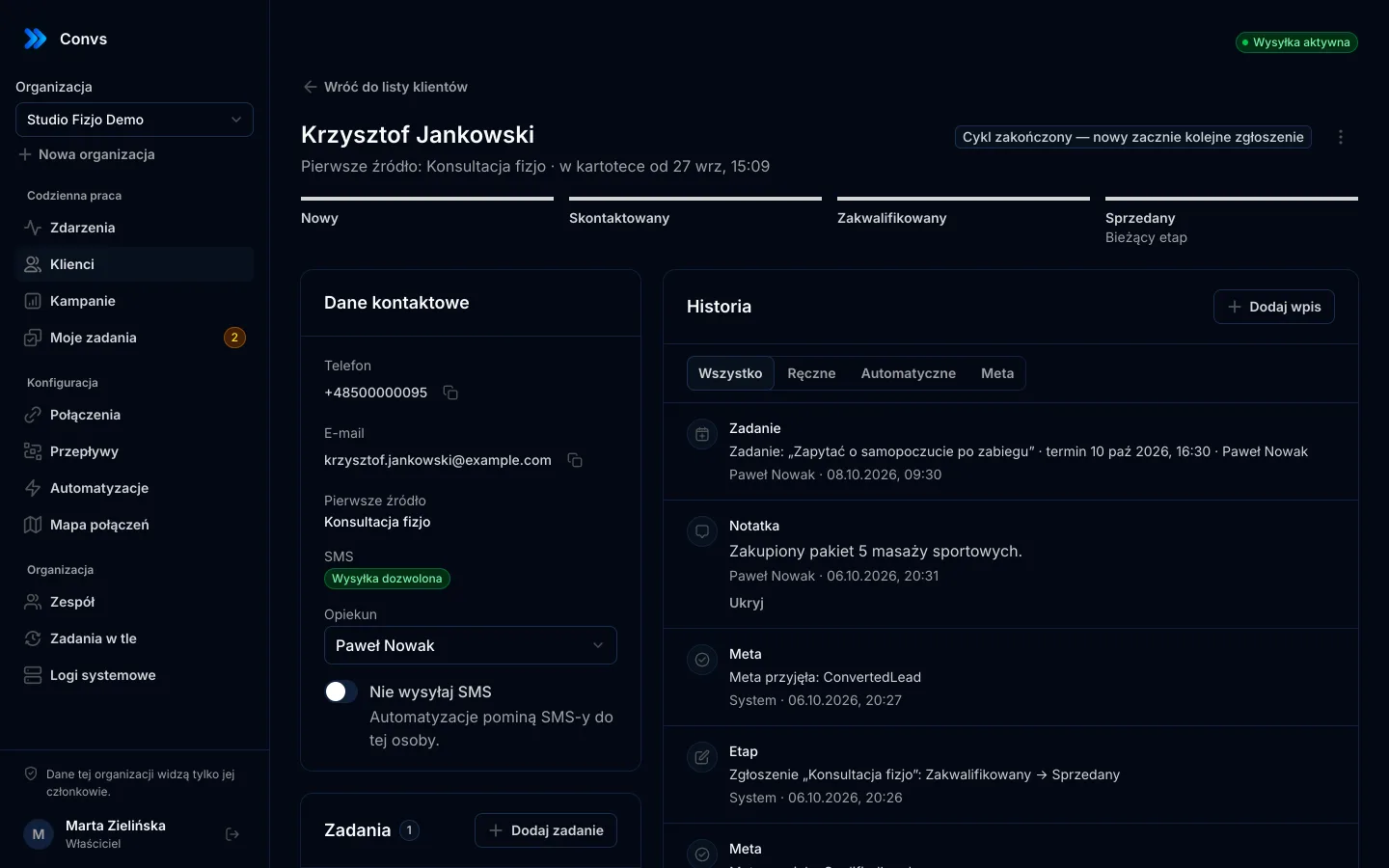
Screenshots from a demo organisation. People and numbers are fictional.
Same ad. Different data for Meta.
Meta looks for people similar to the ones it gets signals about. See what changes when it learns about the sale, not just the submitted form.
An illustration of how it works, not campaign results.
| Comparison | Without Convs | With Convs |
|---|---|---|
| What Meta knows about a lead | Without Convs: Only that someone submitted a form | With Convs: Every stage: contacted, qualified, sold |
| What it optimises for | Without Convs: The number of forms | With Convs: Lead quality, once you meet Meta’s conditions |
| Event setup | Without Convs: Breaks silently and nobody notices | With Convs: Self-diagnosis that points to the fix |
| First contact | Without Convs: Whenever someone checks the inbox | With Convs: SMS and a sales task right away |
| To maintain | Without Convs: Scripts, integrators, a server | With Convs: Nothing. Runs 24/7 |
A new account or campaigns that already run. The start looks the same.
Four steps. You do the first three once, the fourth runs on its own.
Example data
Everything Meta needs to find customers, not form fillers
No implementation agency, no server, no developer. We never change your campaign settings in Meta; when something needs fixing there, we show exactly what and where.
Self-diagnosis and repair
Access, dataset, stages and delivery checked. 7 readiness conditions show what is missing for lead-quality optimisation, and every problem comes with a fix action.
Runs 24/7
A queue with retries and background jobs. Nothing to install, nothing to maintain.
A CRM without friction
One person per phone or email, the full history on one card, a stage in one click.
Automations
An SMS to every new lead right after it is fetched, and a task with a due time for sales.
Cost per customer, not per form
Meta spend joined with CRM stages: cost per lead, per qualified lead and per sale.
Stages go back to Meta
Contacted, qualified and sold as CRM events with the same lead ID.
Many clients, one account
Separate organisations and roles, everyone’s results on one screen.
Illustrations use example data
A customer’s stage is a signal for Meta
A submitted form only tells Meta that someone left their details. The stage in your CRM tells it whether that was a good lead. Convs sends every stage as a CRM event with the same lead ID.
- Stages only move forward, and each one is recorded once.
- The sale value goes to a single submission, so revenue is counted once.
- You can change the stage-to-event mapping in the flow editor.
| CRM stage | Meta event |
|---|---|
| Newautomatically on import | Lead |
| Contacted | Contacted |
| Qualified | QualifiedLead |
| Soldwith the sale value | ConvertedLead |
| Rejected | DisqualifiedLead |
Sending events does not mean your campaign already optimises for lead quality. You turn that on in Meta Events Manager and Ads Manager. The readiness report shows which conditions are still missing.
From form to sale, and back to Meta
Sources send submissions to a queue. The queue saves the person in your CRM and sends an event to Meta. When a salesperson changes the stage, Meta gets another event.
Stage change: Contacted, Qualified, Sold: each stage goes back to Meta as a CRM event.
- Sources: Meta Instant Forms, every 5 minutes or by webhook
- Sources: Google Sheets, synced every minute
- Sources: Online shop, paid orders sent from your shop’s server
- Destinations: Meta Conversions API, Lead, Purchase and CRM stages
- Destinations: CRM, person, history, stage, tasks
Facts, not promises
These numbers describe how the product works. We do not promise campaign results.
- Google Sheets syncNew sheet rows join the queue every minute.
- 1 min
- Meta lead pollingOr instantly, once you turn on the Facebook Page webhook.
- 5 min
- of past leadsMeta keeps form leads for 90 days. Import the last 7, 30 or 90.
- 90 days
- sent to MetaFrom a new lead to a sale or a rejection.
- 5 stages
The first SMS goes out while the lead is still warm
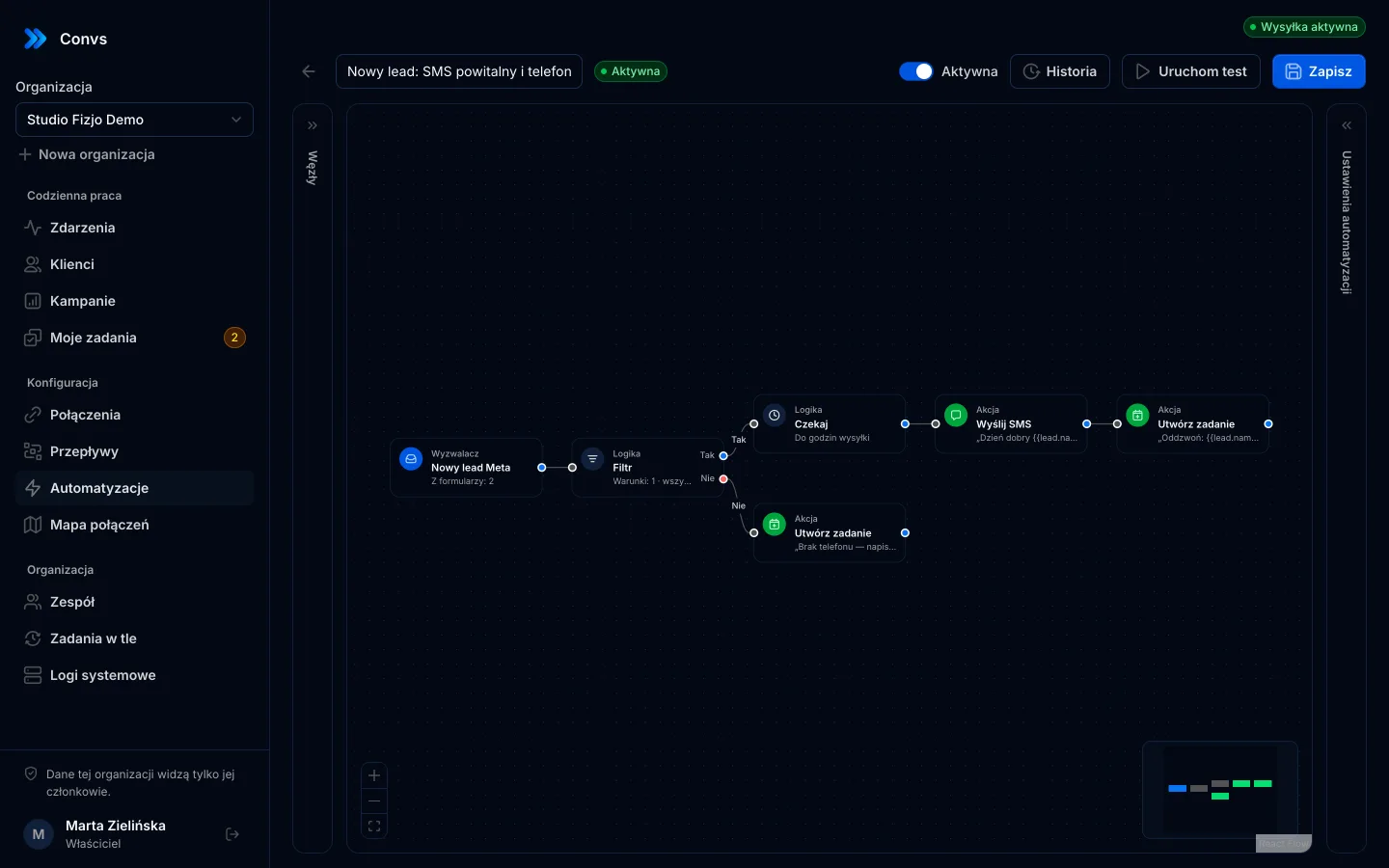
Build an automation from blocks: a trigger, conditions and actions. A new form lead can get an SMS right away, and a salesperson a task with a due time.
- SMS through SMSAPI, Twilio, any HTTP gateway or your own phone via smsportal.app
- Sent only between 8:00 and 20:00, at most 500 SMS a day
- The “Do not SMS” list (a switch on the person card) always applies, even after a person is erased
- HMAC-signed webhooks to your own systems
Trigger
New Meta lead
Form “Physio consultation”
Logic
Filter
Phone number is present
Action
SMS via Twilio
“Hi {{lead.first_name}}, we’ll call you today to book a visit.”
Action
Create task
Call and book the consultation, due today 12:00
Your phone as the SMS gateway
Connect Convs to smsportal.app in one click. Texts to new leads go out from your own number on an Android phone, and replies and statuses come back to the CRM.
From your own number
Customers get a text from a number they know and can call back.
Priced like your phone plan
Texts cost what your mobile carrier charges. smsportal.app also has a free plan.
Replies in the CRM
A customer’s reply lands in their history, and “STOP” puts the number on the “Do not text” list.
See if it arrived
Every send shows sent, delivered or failed, with the reason.
Connected in three steps
- 1Click “Connect smsportal.app” in Connections
- 2Pick a phone and click “Allow”
- 3Choose the smsportal.app account in an automation
Anna Kowalska
+48 500 000 001
Today
Hi Anna, thanks for your request. We will call you today to book your visit.
Delivered
Thank you! Please call after 3 pm.
Connected
Google Pixel 7
Reply in the CRM
Anna Kowalska · “Please call after 3 pm.”
“STOP” from a customer
Number on the “Do not text” list
Example data
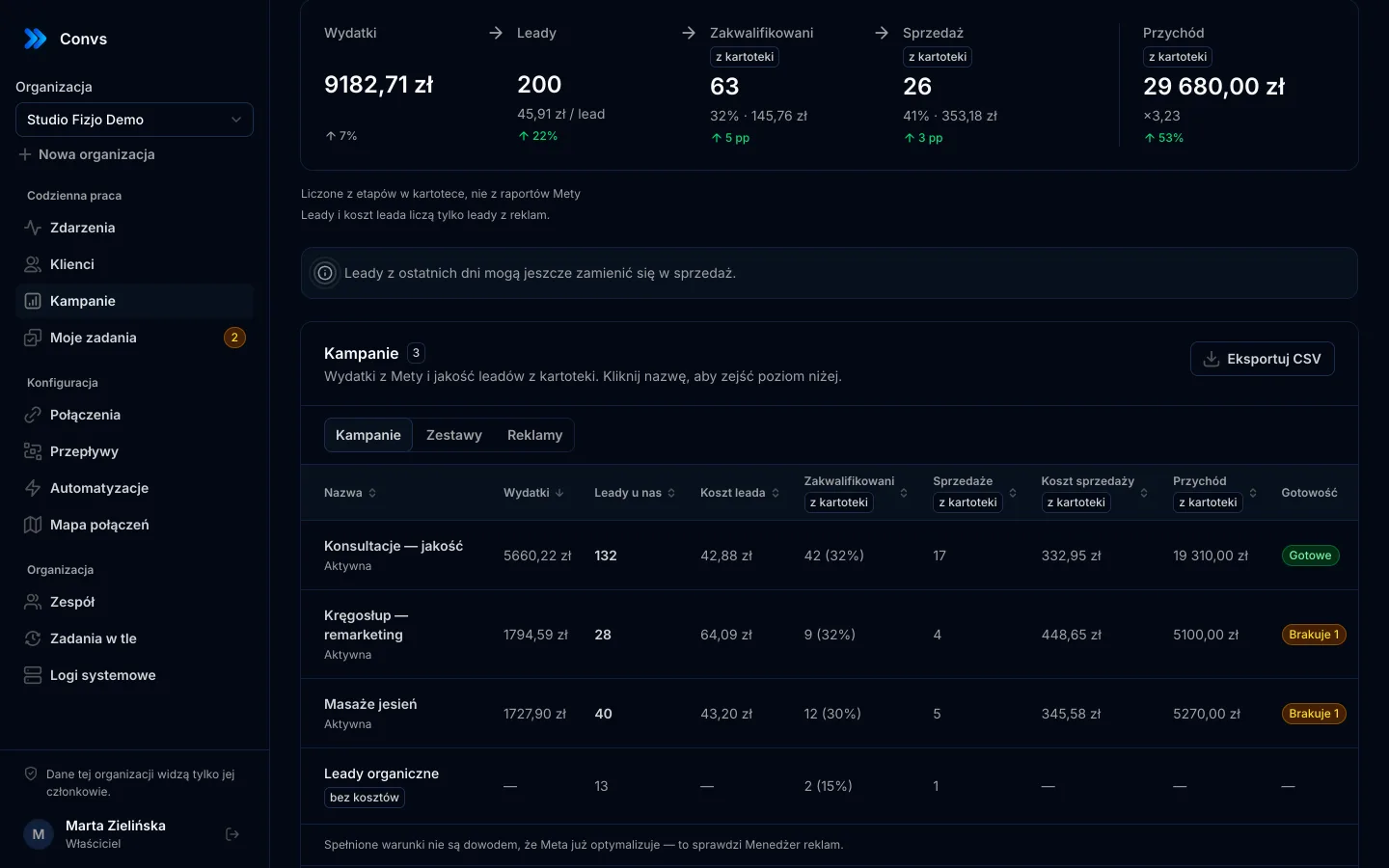
What a customer costs, not just a form fill
Convs pulls your spend from Meta and joins it with the stages in your CRM. See cost per lead, cost per qualified lead and cost per sale for every campaign, ad set and ad.
- Periods are counted by lead date, so a late sale lands in the right campaign
- Drill down from campaign to ad set and ad, and export to CSV
- Readiness: 7 conditions for lead-quality optimisation, per ad set
- Spend$3,100
- Leads$10 per lead310
- Qualified$50 per lead62
- Sales$221 per sale14
Everything between the ad and the sale
One place instead of a spreadsheet, scripts and a separate CRM. Each feature has its own page with real screenshots.
- Meta Conversions APILeads, sheet rows and orders sent to Meta from a server, without duplicates.See details
- CRMOne person per phone or email, full history, stages, owner and tasks.See details
- AutomationsSMS to new leads, tasks and webhooks, with sending hours and an opt-out list.See details
- Campaign reportingMeta spend joined with CRM stages: cost per lead, per qualified lead and per sale.See details
- For agenciesA separate workspace per client, roles, an all-clients overview and job queues.See details
- Security and privacyEncryption, hashing, roles, retention and self-hosting.See details
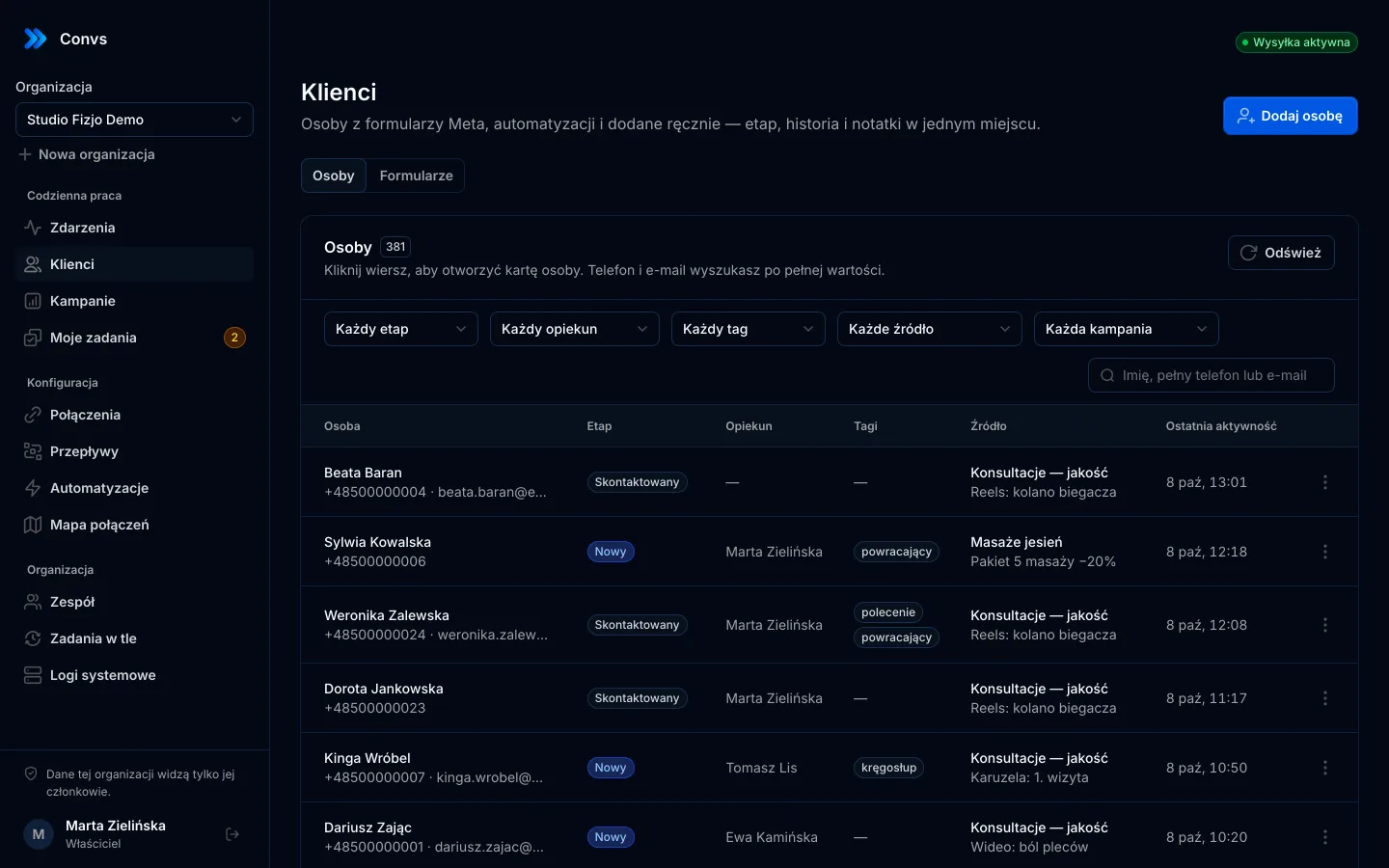
Every client in its own workspace
One account, many organisations. Each client’s data, connections and team are kept apart. You see everyone’s results on one screen.
Separate organisations
Each client has its own sources, CRM and team. Data never mixes between organisations.
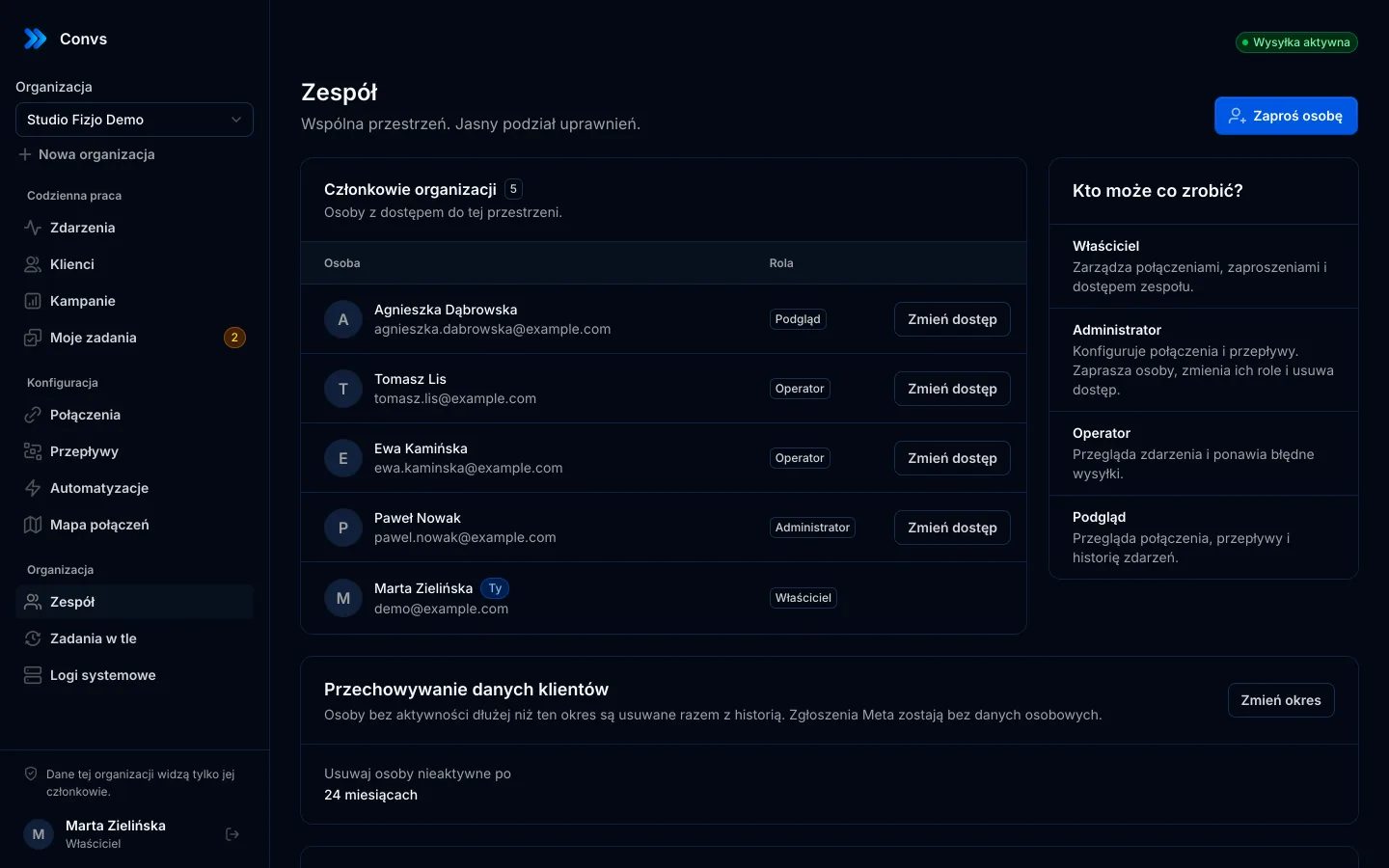
Four roles
Owner, admin, operator and viewer. A client can watch their campaigns without touching settings.
All-clients overview
One row per organisation: spend, leads, costs and how fresh the data is.
Background jobs
Each client’s imports and syncs run in their own queue. You can see what is running and what failed.
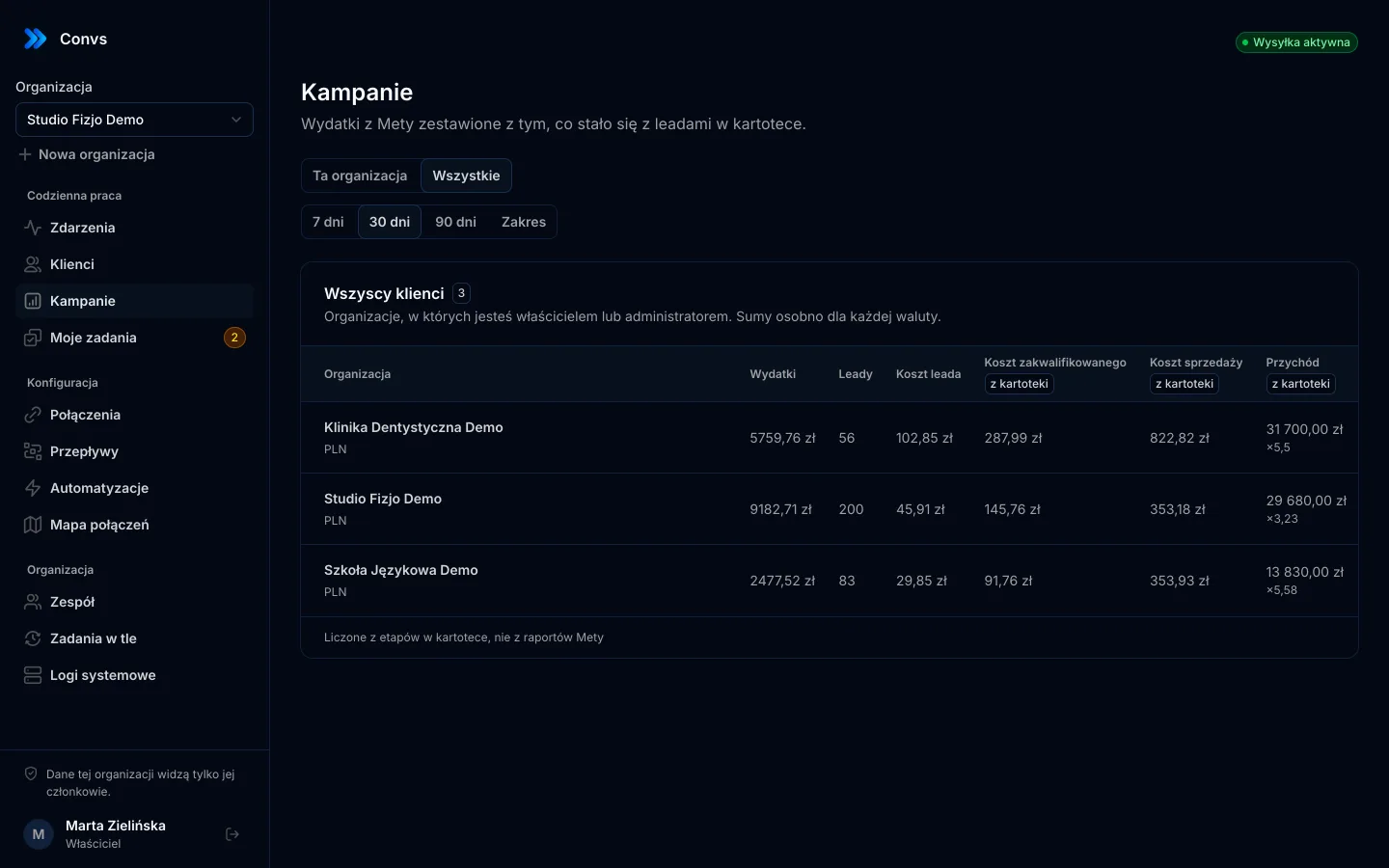
Screenshots from a demo organisation. People and numbers are fictional.
Every feature on every plan
You only pay for the number of leads and orders per month, and the first 100 are free. Prices exclude tax. Meta does not charge for the Conversions API.
Free
Free$0 forever
Every feature for up to 100 leads and orders a month. No card and no time limit. When your leads grow, pick a plan with a higher limit.
- Connection self-diagnosis and repair
- CRM with stages sent to Meta
- Automations and campaign report
Start
$39/ month
Billed monthly.
One business with a steady flow of leads from ads.
- Leads and orders / month: 1,000
- Every feature
- Unlimited organisations, users and ad accounts
- Help: e-mail
Growth
Recommended$89/ month
Billed monthly.
A growing business, several brands or locations.
- Leads and orders / month: 5,000
- Every feature
- Unlimited organisations, users and ad accounts
- Help: e-mail, priority
Agency
$229/ month
Billed monthly.
Agencies and networks with many clients in one shared lead pool.
- Leads and orders / month: 25,000
- Every feature
- Unlimited organisations, users and ad accounts
- Help: priority + onboarding call
Prices exclude VAT and other sales taxes.
By default a lead campaign optimises for the number of submitted forms. Meta looks for people who fill them in readily and never learns which of them became customers. Once you send it CRM stages (contacted, qualified, sold), it can optimise for lead quality. Convs sends those stages automatically and checks whether you meet Meta’s conditions.
The Pixel runs in the browser and only sees what happens on your site. Convs sends events from a server: form leads, sheet rows, confirmed orders and CRM stages. Both can run together, and Meta counts events with the same ID once.
No. It gives Meta the data it needs to optimise for lead quality. Whether your campaign uses it depends on your Ads Manager settings. Convs shows which conditions you meet, but it does not promise a particular cost per lead.
From Meta Instant Forms (every 5 minutes, or instantly through the Page webhook), from Google Sheets (every minute) and from paid orders your shop sends to the hub through its server endpoint. There is no ready-made module that pulls orders from a shop by itself. When you connect a form, you can also import leads from the last 7, 30 or 90 days.
Not for Meta forms or Google Sheets. You sign in to Meta and Google, pick the resources and set up a flow. A shop needs a script tied to your consent banner and paid orders sent from the shop’s server to the hub, so you need someone technical there.
Email and phone numbers are normalised and hashed with SHA-256 before they go to Meta. Tokens, secrets and submission data are encrypted. You set how long people’s data is kept, from 6 to 120 months, and it is erased automatically after that.
Messages go through your own SMSAPI, Twilio or HTTP gateway account. You pay the provider directly, at their rates. With smsportal.app they go out from your own phone and cost whatever your mobile plan charges; smsportal.app has its own plans, including a free one. Convs adds no SMS fees.
This website and the guides are in English. The app interface is currently in Polish, and the screenshots on this site show the Polish interface.
Yes, on the Custom plan. Convs is a single executable with a built-in database. Write to us and we’ll work out the details.
See what Meta sees
Connect your ad account and see which forms are ready and which need fixing. Free up to 100 leads a month, no card required.